> ## Documentation Index
> Fetch the complete documentation index at: https://docs.onsleek.ai/llms.txt
> Use this file to discover all available pages before exploring further.
# AI chat assistant
> Embed an intelligent AI shopping assistant directly into your browser extension with contextual chat capabilities.
## Overview
The AI Chat Assistant SDK enables browser extensions to provide users with an intelligent, context-aware AI shopping companion. When users search for products or browse shopping sites, the SDK automatically detects shopping intent and offers relevant AI assistance through an elegant chat interface.
 ## Key features
### Automatic shopping detection
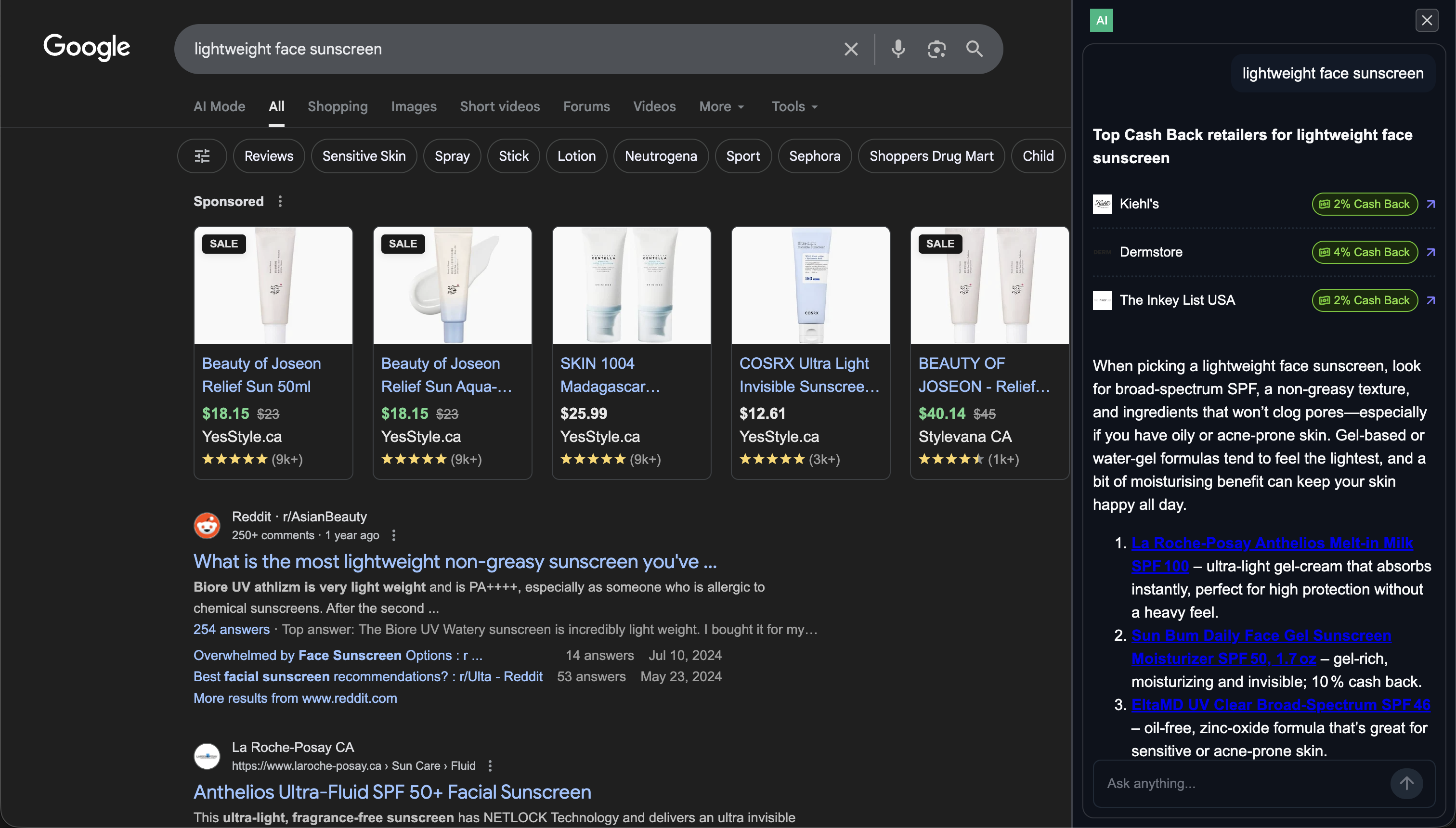
The SDK intelligently monitors user activity across shopping sites and popular platforms like Google Search and ChatGPT, automatically detecting when users have shopping-related queries. No manual activation required.
### Contextual chat badge
When shopping intent is detected, a subtle, branded chat badge appears with AI-generated suggested prompts tailored to the user’s query and browsing behaviour. Users can click a suggested prompt or start their own conversation.
## Key features
### Automatic shopping detection
The SDK intelligently monitors user activity across shopping sites and popular platforms like Google Search and ChatGPT, automatically detecting when users have shopping-related queries. No manual activation required.
### Contextual chat badge
When shopping intent is detected, a subtle, branded chat badge appears with AI-generated suggested prompts tailored to the user’s query and browsing behaviour. Users can click a suggested prompt or start their own conversation.
 ### Full-featured chat panel
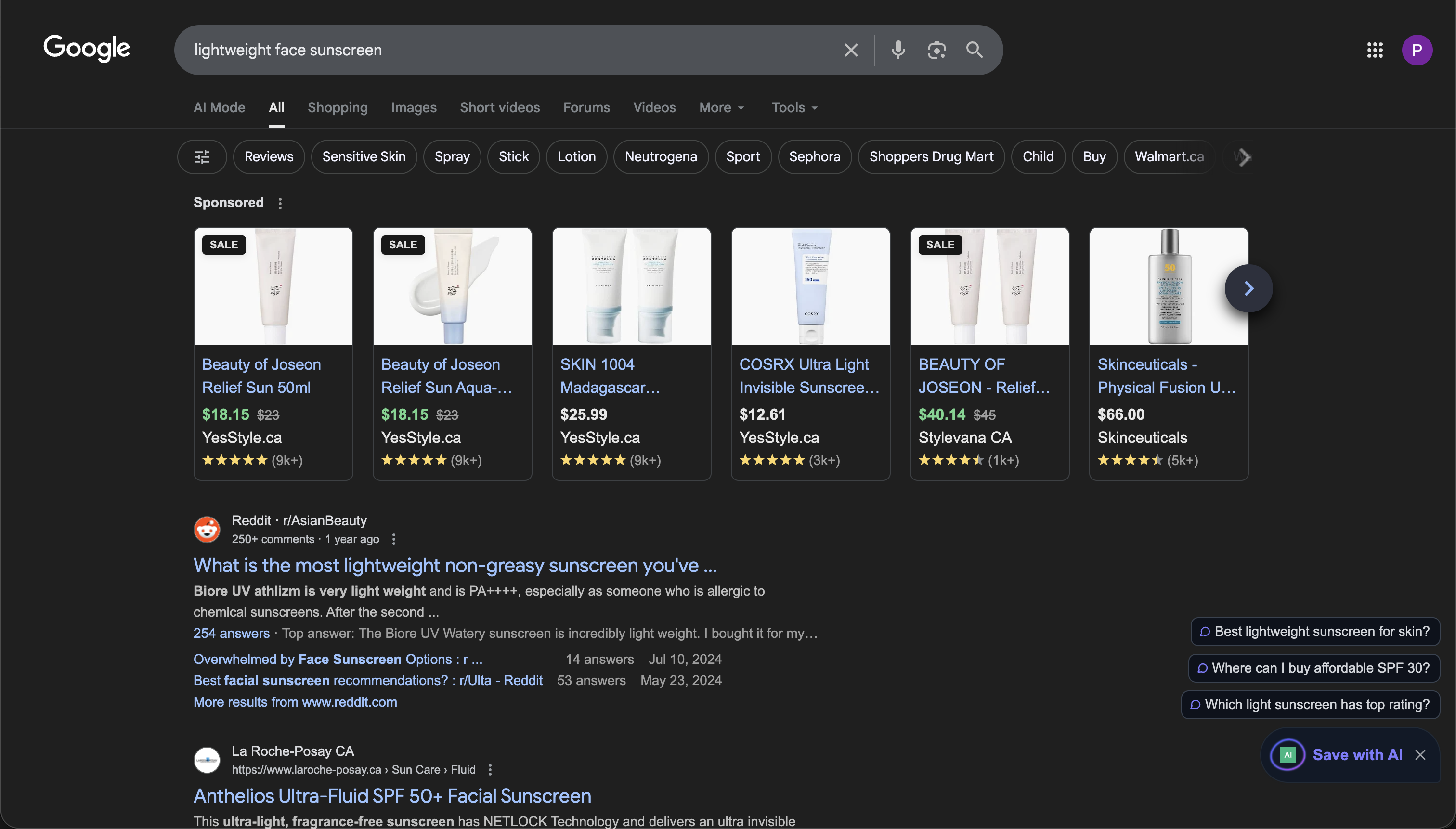
A beautiful, 400px-wide chat panel slides in from the right side of the page, providing a dedicated space for AI conversations without disrupting the user's browsing experience.
### Full-featured chat panel
A beautiful, 400px-wide chat panel slides in from the right side of the page, providing a dedicated space for AI conversations without disrupting the user's browsing experience.
 ### Seamless affiliate integration
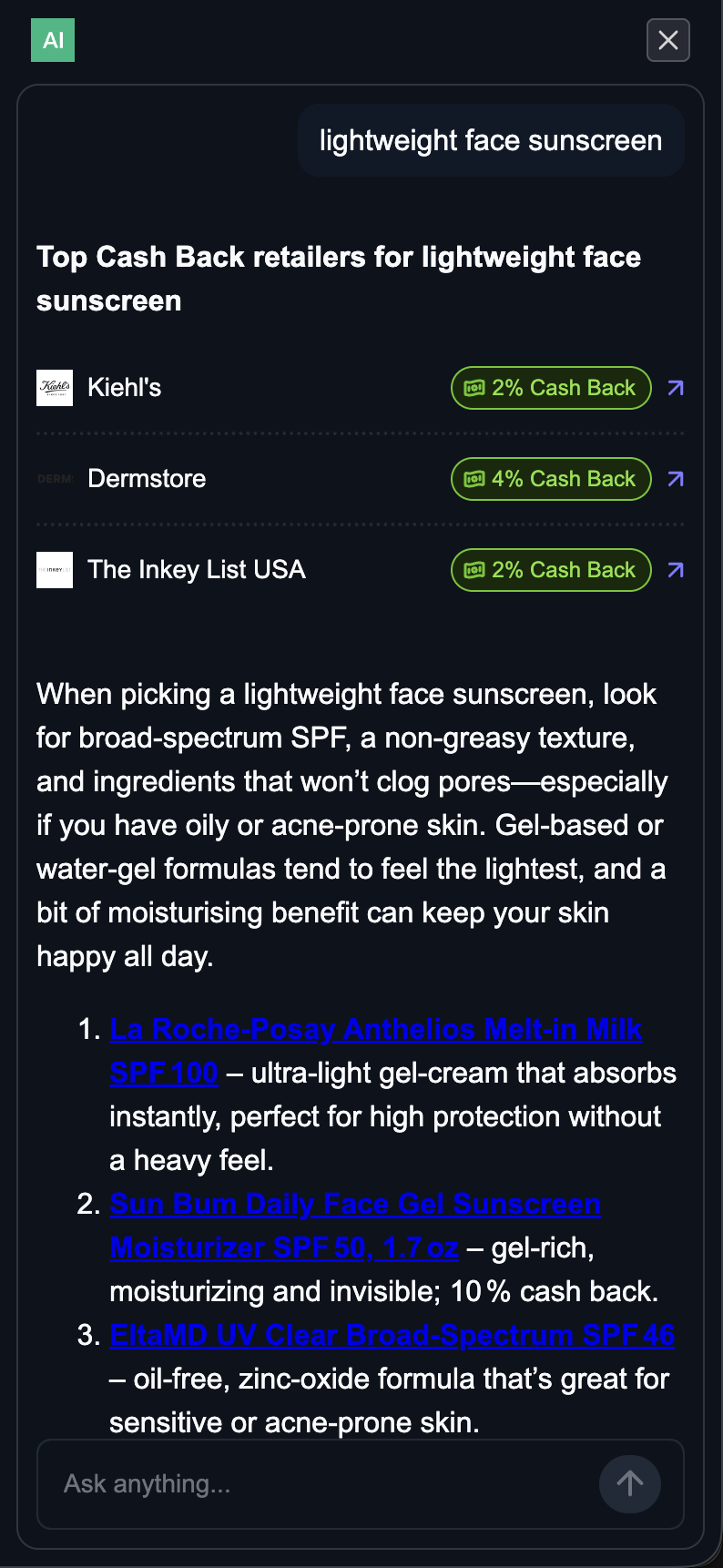
The SDK integrates with your existing affiliate programs and cashback offerings, automatically displaying relevant deals and cashback information within chat conversations. Users see your branded offers without leaving the chat experience.
### Complete customization
Brand the chat experience with your logo, colors, and styling. Control which features are enabled, customize the UI appearance, and configure the chat behavior to match your extension's identity.
## Integration options
Integrate the AI Chat SDK directly into your Manifest V3 browser extension with full control over configuration and branding.
Need a fully custom implementation? Contact our team for white-label solutions and custom integrations.
## Supported platforms
The AI Chat Assistant SDK currently supports:
* **Browser extensions**: Manifest V3 extensions for Chrome, Edge, Firefox, Safari, and other Chromium-based browsers
* **Query detection**: Google Search and ChatGPT
* **Commerce browsing**: Commerce merchants
* **Framework**: Works with any browser extension architecture (background scripts, content scripts, service workers)
## How it works
A user begins shopping online by visiting a merchant website, entering a shopping query on Google Search, or discussing shopping topics on ChatGPT
The SDK automatically detects the shopping site or classifies the query using AI to determine if it’s shopping-related
When shopping intent is detected, a branded chat badge appears with AI-generated suggested prompts
User clicks a suggested prompt or opens the chat panel to have a conversation with the AI assistant
The AI provides relevant recommendations, and your affiliate links and cashback offers are displayed automatically
## Getting started
Ready to add AI chat capabilities to your browser extension?
Technical implementation guide for developers
Talk to our team about custom solutions
### Seamless affiliate integration
The SDK integrates with your existing affiliate programs and cashback offerings, automatically displaying relevant deals and cashback information within chat conversations. Users see your branded offers without leaving the chat experience.
### Complete customization
Brand the chat experience with your logo, colors, and styling. Control which features are enabled, customize the UI appearance, and configure the chat behavior to match your extension's identity.
## Integration options
Integrate the AI Chat SDK directly into your Manifest V3 browser extension with full control over configuration and branding.
Need a fully custom implementation? Contact our team for white-label solutions and custom integrations.
## Supported platforms
The AI Chat Assistant SDK currently supports:
* **Browser extensions**: Manifest V3 extensions for Chrome, Edge, Firefox, Safari, and other Chromium-based browsers
* **Query detection**: Google Search and ChatGPT
* **Commerce browsing**: Commerce merchants
* **Framework**: Works with any browser extension architecture (background scripts, content scripts, service workers)
## How it works
A user begins shopping online by visiting a merchant website, entering a shopping query on Google Search, or discussing shopping topics on ChatGPT
The SDK automatically detects the shopping site or classifies the query using AI to determine if it’s shopping-related
When shopping intent is detected, a branded chat badge appears with AI-generated suggested prompts
User clicks a suggested prompt or opens the chat panel to have a conversation with the AI assistant
The AI provides relevant recommendations, and your affiliate links and cashback offers are displayed automatically
## Getting started
Ready to add AI chat capabilities to your browser extension?
Technical implementation guide for developers
Talk to our team about custom solutions